
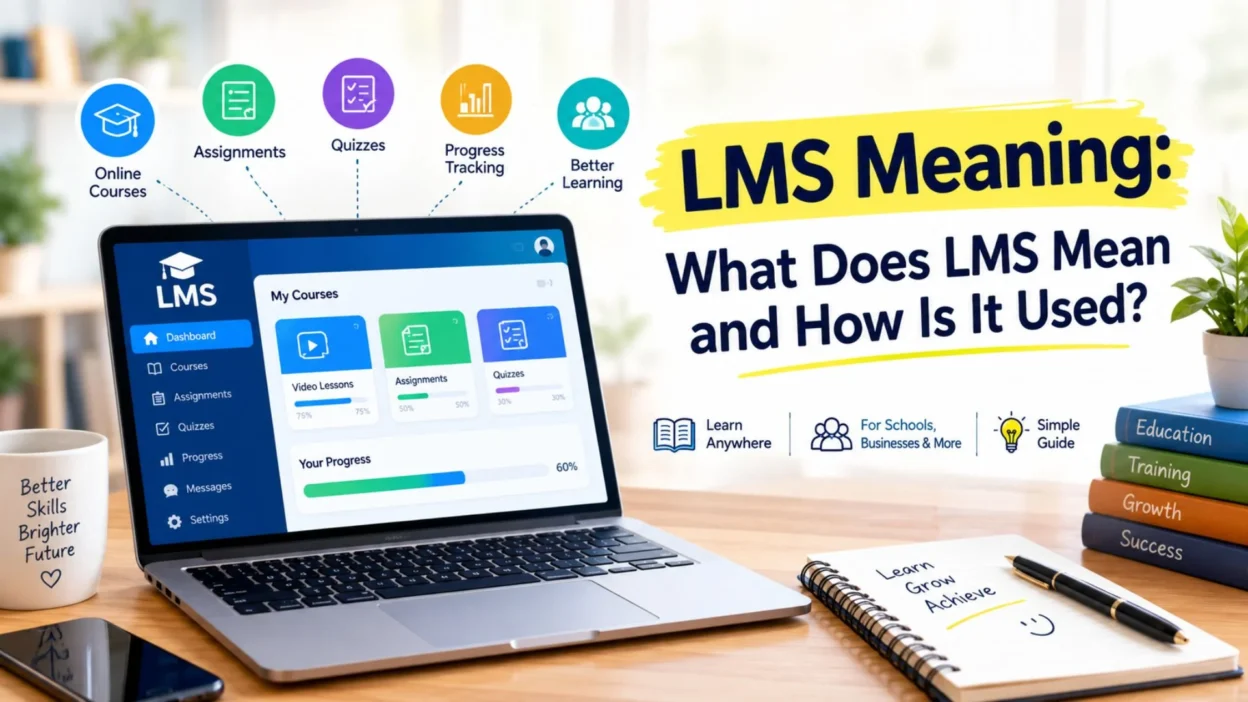
Have you ever seen the term LMS while studying online or using a training platform? If so, you may wonder what LMS means. In most cases, LMS stands for Learning Management System.
An LMS helps schools, colleges, businesses, and training organizations manage learning in one place. For example, teachers can share lessons, create quizzes, collect assignments, and track student progress. Similarly, companies can use an LMS to train employees and manage professional development.
In this guide, we will explain the LMS meaning, its common features, benefits, uses, and different types in simple terms.
What Does LMS Mean?
LMS stands for Learning Management System. It refers to software that helps organizations create, manage, deliver, and track learning programs.
In simple words, an LMS works like a digital classroom or training center. Instead of keeping everything in different places, users can manage courses, lessons, assignments, quizzes, and progress through one platform.
For example, a teacher can upload a lesson to an LMS. Students can then log in, read the lesson, complete an assignment, and take a quiz.
An LMS can also help administrators manage users and courses.
• LMS means Learning Management System • It supports online and digital learning • Teachers can create and manage courses • Students can access lessons online • Businesses can train employees • Users can complete assignments and quizzes • Teachers can track student progress • Companies can track employee training • Many systems offer reports and dashboards • Some platforms provide certificates • Users can access learning materials from different devices • LMS platforms can support remote learning • Organizations can manage multiple courses • Learners can review lessons whenever they need them • Administrators can manage users and permissions
What Is a Learning Management System?
A Learning Management System provides a central place for learning activities. Therefore, users do not need to manage every part of a course separately.
For instance, a school can create a course for each subject. The teacher can add lessons, videos, documents, homework, and quizzes. Students can then access these materials through their accounts.
Moreover, the teacher can check completed work and review quiz results from the same system.
An LMS can support many types of learning. It can help with classroom education, online courses, employee training, and professional development.
How Does an LMS Work?
An LMS follows a fairly simple process. First, an administrator sets up the platform. Next, teachers or trainers create courses and add learning materials.
After that, learners receive access to the courses. They can log in and start their lessons.
For example, a typical LMS process may look like this:
• An administrator creates user accounts • A teacher creates a course • The teacher adds lessons and learning materials • Students join the course • Learners read or watch the content • Students complete assignments • Teachers review the submitted work • Learners take quizzes or tests • The system records results • Teachers check learner progress • Administrators review reports • Learners complete the course
As a result, an LMS can make the entire learning process easier to organize.
Why Do People Use an LMS?
Organizations use LMS platforms because they simplify learning management. Instead of using separate tools for lessons, assignments, quizzes, and progress tracking, an organization can bring many of these tasks together.
For example, a college can use one LMS to manage several courses. Likewise, a company can use an LMS to train hundreds of employees.
The main reasons include:
• Easy course management • Centralized learning materials • Flexible access • Online assignments • Digital quizzes • Progress tracking • Training reports • Better organization • Easier communication • Remote learning support • Employee training • Student management • Course updates • Learning analytics • Reduced paperwork
Furthermore, learners can often access their courses from home, school, or work. This flexibility makes an LMS useful for both traditional and remote learning.
Common Features of an LMS
Different LMS platforms offer different features. However, most systems provide several basic tools that support learning.
Course Management
Course management allows teachers and trainers to create and organize learning programs.
For example, an instructor can create a course and divide it into several modules. Each module can contain lessons, videos, documents, or activities.
Common course management features include:
• Course creation • Lesson organization • Module creation • Video uploads • Document sharing • Course schedules • User enrollment • Course updates
Assignments and Quizzes
Many LMS platforms allow teachers to create assignments and quizzes. Students can complete these activities online.
For example, a teacher may upload homework and set a deadline. Students can submit their answers through the platform.
Similarly, a trainer can create a quiz at the end of a training module.
Common tools include:
• Online assignments • Quiz creation • Multiple-choice questions • Written questions • Deadlines • Online submissions • Automatic grading • Teacher feedback
Progress Tracking
Progress tracking helps teachers and administrators understand how learners perform.
For example, an LMS may show which lessons a student has completed. It may also show quiz scores and assignment results.
Therefore, teachers can identify areas where students may need additional help.
Progress tools may include:
• Course completion • Lesson completion • Quiz results • Assignment status • Grades • Training completion • Learning reports • Performance data
Communication Tools
Communication also plays an important role in learning. Many LMS platforms provide tools that connect teachers and learners.
For instance, teachers can send announcements about upcoming assignments. Students can also use discussion areas to ask questions.
Common communication features include:
• Announcements • Messages • Discussion boards • Notifications • Comments • Feedback • Course updates • Student questions
LMS Meaning in Education
In education, LMS usually means Learning Management System. Schools, colleges, universities, and training centers use these platforms to support teaching and learning.
For example, a teacher may upload lecture notes before a class. Students can read the material online and prepare for the lesson.
After the class, the teacher can upload homework or a quiz. Students can then complete the work through the LMS.
An educational LMS can help with:
• Online classes • Course materials • Homework • Quizzes • Exams • Grades • Student communication • Teacher feedback • Progress tracking • Learning resources • Class announcements • Course schedules
However, an LMS does not always replace the classroom. Instead, many schools use it alongside traditional teaching.
LMS Meaning in Business
Businesses also use LMS platforms for employee education and training. In this case, the system helps companies organize professional learning.
For example, a company can create an onboarding course for new employees. New workers can complete the required lessons and quizzes before they begin certain tasks.
Likewise, a company can use an LMS for ongoing employee development.
Common business uses include:
• Employee onboarding • Workplace training • Safety training • Product education • Customer service training • Software training • Professional development • Compliance education • Leadership training • Skills development • Refresher courses • Employee assessments • Training reports • Course completion tracking
As a result, businesses can organize training more efficiently.
Benefits of an LMS
An LMS offers several benefits for learners, teachers, trainers, and organizations.
First, it puts learning materials in one central location. Therefore, users can find lessons and resources more easily.
Second, an LMS can support flexible learning. Learners can often access courses outside the traditional classroom.
In addition, teachers can manage assignments and quizzes digitally. This can save time and improve organization.
Key benefits include:
• Centralized learning materials • Flexible access • Easy course management • Online assignments • Digital assessments • Progress tracking • Training reports • Better communication • Remote learning support • Reduced paperwork • Easier course updates • Organized learner records • Scalable training • Flexible employee development • Convenient resource access
Moreover, learners can often return to older lessons whenever they need extra practice.
Types of LMS Platforms
Different organizations have different learning needs. Therefore, LMS platforms can serve different purposes.
Academic LMS
Academic LMS platforms support schools, colleges, and universities.
They often include tools for:
• Courses • Assignments • Quizzes • Grades • Discussions • Student accounts • Teacher communication
Corporate LMS
Corporate LMS platforms focus on employee training.
Companies can use them for onboarding, professional development, compliance training, and skills development.
Cloud-Based LMS
A cloud-based LMS runs online. Users can usually access it through a web browser or mobile app.
Therefore, organizations can support learners in different locations.
Open-Source LMS
Open-source LMS software gives organizations more control over customization and technical settings.
However, organizations may need technical skills to install, maintain, and customize these systems.
LMS vs. Online Course
People sometimes use LMS and online course as if they mean the same thing. However, they describe different things.
An online course contains the actual learning material. An LMS provides the system that manages that material.
For example:
Online course = What you learn
LMS = The system that manages your learning
An online course may include videos, lessons, quizzes, and assignments. The LMS can organize those materials and track learner activity.
Therefore, an LMS can host and manage many online courses.
LMS vs. Traditional Learning
Traditional learning often takes place in a physical classroom. Students attend lessons, receive printed materials, and complete assignments.
An LMS adds a digital layer to the learning process.
For example:
• Traditional learning often uses physical classrooms • LMS learning can support online access • Traditional homework may use paper • LMS homework can use digital submissions • Traditional tests may use printed papers • LMS platforms can provide online quizzes • Teachers may record traditional grades manually • LMS platforms can track many results digitally • Classroom communication often happens face to face • LMS platforms can support digital communication
However, these two approaches can work together. Many schools and businesses use blended learning, which combines classroom instruction with digital learning.
Who Can Use an LMS?
An LMS can support many types of organizations. It is not limited to schools or universities.
For example, the following groups can use an LMS:
• Schools • Colleges • Universities • Training centers • Businesses • Nonprofit organizations • Professional trainers • Online educators • Course creators • Coaching programs • Government organizations • Technology companies • Customer education teams • Professional development programs
Therefore, almost any organization that needs structured learning can consider an LMS.
What Can You Do With an LMS?
An LMS can support many learning tasks. The exact options depend on the platform.
For example, you can:
• Create online courses • Upload documents • Add videos • Create quizzes • Give assignments • Track progress • Send announcements • Provide feedback • Manage learners • Create training programs • Issue certificates • Generate reports • Organize lessons • Build learning modules • Monitor course completion
In addition, some advanced platforms connect with other business and education tools.
How to Choose an LMS
Choosing an LMS requires some planning. First, identify the number of learners you expect to support. Next, consider the features you actually need.
For example, a small training business may only need basic course and quiz tools. In contrast, a large company may need detailed reports, user management, integrations, and advanced administration.
Consider these factors:
• Number of learners • Course management tools • Assignment features • Quiz options • Progress tracking • Reporting tools • Mobile access • Communication features • Integrations • Security • User management • Customization • Pricing • Customer support • Ease of use
Most importantly, choose a platform that matches your current needs and future plans.
Is LMS Only for Online Learning?
No. An LMS can support both online and traditional learning.
For example, students can attend classes in person and still use an LMS for homework, quizzes, reading materials, and announcements.
Similarly, employees can attend workplace training while using an LMS to complete additional modules.
Therefore, an LMS can support:
• Online learning • Classroom learning • Blended learning • Employee training • Professional development • Remote education
Common LMS Terms
When you start using an LMS, you may see several common terms.
• Learner: A person who takes a course or training program • Instructor: A person who teaches or manages course content • Administrator: A person who manages the LMS • Course: A complete learning program • Module: One section of a course • Assignment: A task that a learner completes • Assessment: A test or activity that measures knowledge • Progress: The learner’s course completion status • Certificate: Proof of completing a course or program • Dashboard: The main screen that displays important information
Understanding these terms makes an LMS easier to use.
Frequently Asked Questions About LMS Meaning
What does LMS stand for?
LMS stands for Learning Management System. It refers to software that helps organizations manage learning and training.
What does LMS mean in school?
In school, LMS usually means Learning Management System. Teachers and students can use it for lessons, assignments, quizzes, grades, and communication.
What does LMS mean in business?
In business, LMS refers to a Learning Management System that companies use for employee training, onboarding, professional development, and other learning programs.
What is an LMS used for?
An LMS helps organizations create, organize, deliver, and track learning. For example, users can manage courses, assignments, quizzes, and progress.
Is an LMS the same as an online course?
No. An online course contains the learning material, while an LMS provides the system that manages the course.
Can an LMS track student progress?
Yes. Many LMS platforms can track lessons, assignments, quizzes, grades, and course completion.
Can businesses use an LMS?
Yes. Businesses commonly use LMS platforms for employee onboarding, training, compliance education, and professional development.
Can students use an LMS on a phone?
Many LMS platforms support mobile devices through responsive websites or dedicated apps. However, mobile features vary by platform.
What is the main benefit of an LMS?
The main benefit is organization. An LMS can bring courses, learning materials, assignments, assessments, and progress tracking into one digital environment.
Does an LMS replace teachers?
Not necessarily. An LMS provides learning tools, but teachers and trainers still guide learners, explain concepts, answer questions, and provide feedback.
Conclusion
The most common LMS meaning is Learning Management System. An LMS helps organizations manage learning and training through a digital platform.
Schools can use LMS platforms for courses, homework, quizzes, and student communication. Similarly, businesses can use them for employee onboarding, training, and professional development.
Moreover, an LMS can support online, classroom, and blended learning. Its features can vary from one platform to another. Therefore, users should choose an LMS based on their specific learning goals.
In simple terms, an LMS provides a central place to create, manage, deliver, and track learning. As digital education continues to grow, LMS platforms remain an important tool for schools, businesses, and online educators.

Logan Chase is a creative writer at Pickupzonee, known for crafting witty pickup lines, clever jokes, and playful puns.He helps turn everyday conversations into fun, memorable moments with the perfect choice of words.